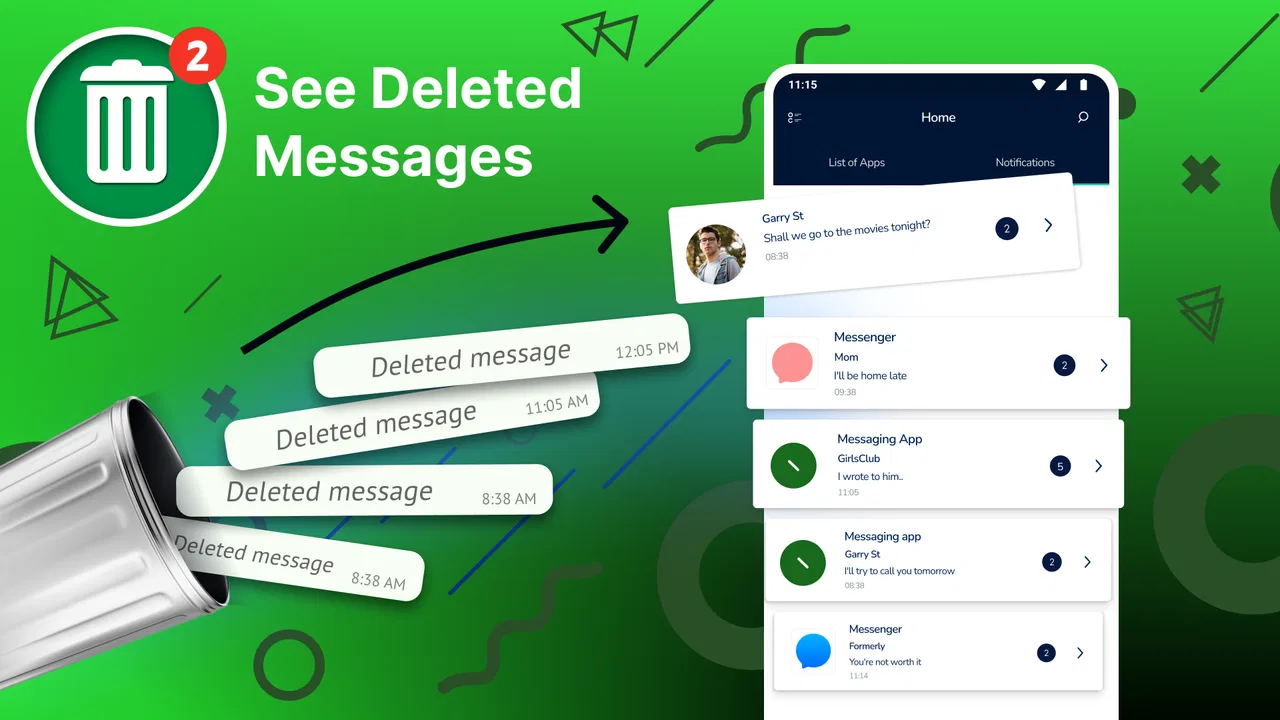
See Deleted Messages
- 4.2
- Rating
- 10.00M
- Installs
- Free
- Price

 Analysis by App-foxy
When a message disappears from a chat, the frustrating part is often not the missing text itself but the uncertainty around it. Was it a typo, a change of plan, or something I needed to answer? See Deleted Messages is built for that narrow communication problem: it watches message notifications and gives me a way to review text that was later unsent. In my experience, it is most useful as a notification safety net rather than as a replacement for a messaging app.
The app comes from ZipoApps and sits in the communication category. It is free to download, carries an Everyone age rating, and has reached more than ten million installs with a 4.2 average from roughly 141 thousand ratings. Those figures suggest that the idea is easy to understand and useful to a broad audience, but the real question is whether it fits the way you handle notifications. If you normally dismiss alerts immediately, keep chats muted, or read everything inside the conversation, its value will be limited.
From a vanished notification to a usable record
I focus here on the practical bridge between a notification that disappears and a record I can still use. The key is to treat that record as a prompt for a sensible next step, not as a complete substitute for the conversation. That distinction makes the app easier to use thoughtfully, especially when the original message needs clarification.
You May Also Like

 Blood Strike: 2.5 Anniversary
Blood Strike’s Loadouts Turn Every Drop Into a Tactical Gamble
A close look at Blood Strike’s custom loadouts: how fast access to signature weapons reshapes its battle royale rhythm, rewards preparation, and narrows the gap between fights.

 Pandora - Music & Podcasts
Pandora’s Music Is Easy to Start, but Harder to Recover
Pandora’s strength is its low-effort path from a seed to a station. Its weak spot is how much confidence it asks you to place in connection, setup, and quiet recovery.

 8 Ball Pool
 Is Built on Rivalries, Rematches, and Routine
A close look at the rivalries, rematches, shared routines, and unanswered safety questions that turn a quick pool match into a persistent mobile community.

 Samsung Music
’s Quiet Strength Is Playing What You Already Own
Its reach comes less from spectacle than from dependable access to a personal library. That simplicity is both the app’s strongest retention engine and its ceiling.

 AccuWeather: Weather Radar
AccuWeather Review: A Quick, Clear Forecast for Everyday Decisions
For everyday plans, the best forecast is the one you can understand quickly. AccuWeather makes rain timing, radar, and local conditions easy to act on, with a few trade-offs.

 Hill Climb Racing
Why Hill Climb Racing Still Turns Crashes Into One More Run
A tiny car, a bumpy hill and one more upgrade: Hill Climb Racing keeps resurfacing because its simple chaos makes every near-miss feel personal.
More From Our News Desk



What I set up before relying on it
The starting condition is simple: a contact sends something, the notification appears, and the sender removes the message before I can read it in the chat. See Deleted Messages works around that timing by using the notification as the point of capture. That means the app’s usefulness depends on notifications arriving in the first place. It is not looking into a conversation and restoring a message from the service’s own servers.
That distinction matters. I would treat the app as a local record of what reached the notification layer, not as a universal recovery tool. Before expecting it to help, I would make sure notifications for the relevant messaging apps are enabled and that their previews show enough text to be useful. If a service only displays a generic alert, there may be little meaningful content for any notification-based tool to preserve.
The first-run experience is therefore less about composing a profile or learning a complicated dashboard and more about deciding which notifications I am comfortable routing through the app. I would be selective. Enabling every possible source can turn a focused utility into a noisy archive, while choosing only the conversations that regularly create confusion keeps the result easier to use.
Privacy is also part of that setup decision. A tool that helps me inspect deleted notification text necessarily handles message previews that appear on the device. I would avoid treating it casually on a shared phone, and I would think twice before enabling it for sensitive conversations. The convenience is real, but it comes from giving the app access to information that I would not want displayed indiscriminately.
The everyday workflow, step by step
Imagine a realistic morning scenario. A colleague sends a short message about a meeting, removes it almost immediately, and then sends nothing else. I see that a notification arrived, but the original text is no longer available in the chat. Instead of asking what was deleted, I open See Deleted Messages and check the captured notification entry. If the original alert contained readable text, I can use that record to understand what happened.
The process is deliberately indirect. The app does not make the sender’s chat message reappear inside the conversation. It gives me a separate place to inspect what was visible through the notification. That separation is important when I am deciding how to respond: I may know what was written, but the chat itself can still show that the message was unsent or contain no message at all.
I found this workflow most helpful when the missing message was part of a practical exchange rather than a long conversation. A deleted address, a changed arrival time, or a brief question can be enough to prevent a needless follow-up. For lengthy messages, the experience depends more heavily on how the original notification was formatted and whether the preview was truncated.
One useful habit is to check the app soon after an unexpected deletion rather than waiting until the end of the day. A recent event is easier to identify among other alerts, and I am less likely to confuse it with a different conversation. This is a small workflow improvement, but it makes a notification archive much more useful than treating it as a box I only open during a crisis.
Where the handoff happens
The key handoff is between the messaging service, the phone’s notification system, and See Deleted Messages. The messaging service generates the alert, Android displays it, and the app uses that notification history to present something I can review later. Every stage can affect the outcome, so the app should not be judged as if it controls the entire delivery chain.
For example, if I swipe away a notification before its text is available, the record may be less helpful. The same applies when a notification is grouped, collapsed, or replaced by a newer alert from the same conversation. I would also expect a difference between a notification that includes the full message preview and one that only says someone sent a message. The app can preserve what reached the notification layer; it cannot create details that never appeared there.
This is also why the app is not an ideal answer for every messaging platform. Some services use notification previews differently, and some conversations may be protected by privacy settings or hidden previews. If my main problem involves messages from a platform that rarely exposes readable content in notifications, a direct conversation backup or the service’s own history tools would be a better place to look.
The handoff from the app back to my normal conversation is manual. I read the recovered notification, then return to the original chat if I need to clarify, reply, or ask the sender to resend it. I appreciate that this keeps the app’s role focused, but it also means I should not expect a seamless restoration button or a magically repaired thread.
What the result is actually good for
The best result is clarity. Instead of guessing why a notification appeared and then vanished, I can sometimes see the original wording and decide whether it requires action. That is particularly helpful in group chats, where a deleted message can otherwise leave me unsure whether I missed an instruction meant for everyone.
It can also reduce unnecessary interruptions. If the recovered text was only a correction or an accidental message, I can leave the conversation alone. If it contained a useful detail, I can respond with context instead of sending a vague “What did you delete?” message. In my view, that is the app’s strongest benefit: it turns an ambiguous notification event into a more informed decision.
There is a subtle trade-off here. Seeing a deleted message may improve practical communication, but it can also encourage me to treat an unsent message as permanently available. I try to use the record as context, not as a reason to challenge someone over every deletion. The app can show what appeared in a notification, but it cannot explain the sender’s intention or whether the text was sent by mistake.
For families, work groups, and busy social chats, that distinction makes the tool more valuable. A deleted logistical message can be worth recovering because it affects what I need to do next. For private or emotionally sensitive conversations, the same feature may create more tension than convenience. I would decide based on the kind of communication involved, not simply on the promise of seeing more text.
Where the flow breaks down
The biggest limitation is built into the app’s method: no notification means no useful capture. If I have disabled previews, muted a conversation, or configured the phone to hide message content, the app has much less to work with. This is not a defect that an update can automatically solve; it is a consequence of relying on notification data rather than the original chat database.
Timing can cause friction too. A sender may delete a message before the phone finishes displaying the alert, or a messaging app may update the notification so quickly that the preview is hard to distinguish. Multiple messages arriving together can make the archive less clear, especially when the notification system groups them into one summary.
Another practical weakness is that notification-based recovery is not the same as recovering attachments. A text preview might be visible while an image, voice note, sticker, or document is represented only by a generic label. I would not choose this app expecting a complete copy of every deleted item. Its strongest territory is readable notification text, and even that depends on the source app’s presentation.
There is also a social and security trade-off. Because the app’s purpose involves message previews, I would be cautious about using it on a device that other people can access. I would also review its behavior after changing lock-screen settings or notification privacy options. A setup that is convenient at home may expose more information than I want in public.
How it compares with ordinary alternatives
The usual alternative is to ask the sender to resend the message. That remains the cleanest option when the conversation is sensitive or when the deleted content was too long or too complicated to understand from a notification. It preserves trust and avoids relying on a partial record. See Deleted Messages is more useful when I need a quick answer and the sender is unavailable, the chat is busy, or the deletion happened during a practical exchange.
Another alternative is using notification history built into some Android phones. That can be enough for people who only occasionally need to inspect dismissed alerts. The advantage of a dedicated app is focus: I do not have to search through a general system setting every time a message disappears. The trade-off is that I am adding another layer to a task the operating system may already support, so users who prefer a minimal setup should compare the two approaches before committing.
Chat backups are better suited to restoring conversations after a device change or accidental deletion, but they are usually less convenient for a single unsent notification. They may also reflect the messaging service’s stored state rather than the text that briefly appeared in an alert. See Deleted Messages occupies a narrower space: immediate notification review, not full conversation restoration.
I would skip it if my main goal is recovering photos, restoring entire threads, or keeping a legally reliable communication archive. I would also skip it if I am uncomfortable granting a notification-focused utility access to message previews. On the other hand, if my problem is specifically the disappearing short message in an active chat, its focused approach makes more sense than maintaining a full backup system for occasional uncertainty.
Version, cost, and who should install it
The current version is 1.6.5 and it runs on Android 5.0 or later, so compatibility covers many older phones as well as newer devices. It is free to use at the basic download level, while in-app purchases range from $0.99 to $99.99 per item. I would check what is included in the particular purchase screen before paying, especially because the core idea is simple and the value depends heavily on my notification habits.
The app is rated for Everyone, which fits its straightforward communication utility, but that rating should not replace personal judgment about message privacy. A family-friendly age classification does not mean every notification is suitable to store or display around other people. I would make the privacy decision based on the conversations I receive.
My recommendation is strongest for people who regularly miss short, important messages because senders remove them quickly. It can also suit users who want a dedicated place to inspect notification events instead of relying on memory or a system menu. I would be more cautious for people who keep previews hidden, rarely use notifications, or need dependable recovery of media and complete chat histories.
After using it, I see See Deleted Messages as a practical backup for a very specific moment in communication: the gap between seeing that something arrived and discovering that it has been unsent. Its real strength is not restoring a chat; it is preserving enough notification context to help me choose what to do next. That makes it worthwhile for the right workflow, provided I understand the handoffs, protect sensitive conversations, and accept that anything never exposed in a notification cannot be recovered by this approach.
For my own use, I would keep the setup selective, check recent entries when a deletion matters, and still ask the sender to resend anything important or unclear. With those expectations, this free communication app from ZipoApps is a useful safety net rather than an overpromised solution. If your daily frustration is the disappearing short message, See Deleted Messages is worth trying; if you need full chat restoration, a different tool will serve you better.
FAQs for See Deleted Messages
01What is See Deleted Messages and how does it work?
See Deleted Messages is an Android utility designed to help you read notifications or message previews that may later be removed from supported messaging apps. It generally works by saving incoming notification content locally, allowing you to review the saved preview if the original message is deleted. Its effectiveness depends on notification access, the messaging app being used, and whether the message was visible in the notification.
02Can See Deleted Messages recover every deleted message?
No. The app cannot guarantee recovery of every deleted message. It usually depends on whether the message generated a notification and whether the notification content was fully displayed. Messages received while notifications are disabled, muted, hidden, or restricted may not be saved. Media files, voice notes, disappearing messages, and messages deleted before a notification appears may also be unavailable.
03What permissions does See Deleted Messages require?
The application commonly requires notification access so it can record message previews as they arrive. Depending on the version and features offered, it may also request storage or media permissions, although these should be reviewed carefully before approval. Notification access can expose private message content, so users should only enable it if they trust the app and understand how the collected information is handled.
04Is See Deleted Messages safe and private to use?
Privacy depends on the app version, developer practices, and the permissions you grant. Because the app may read notifications, it could potentially access private conversations, verification codes, and other sensitive information shown in notifications. Before installing, check the official store listing, privacy policy, reviews, and requested permissions. Avoid using unofficial modified versions, and disable notification access if you no longer need the service.
05Does See Deleted Messages work on iPhone and Android?
Availability and functionality can differ considerably between Android and iOS. Android applications may use notification access to save previews, while iPhone apps face stricter system limitations and generally cannot monitor notifications in the same way. Before downloading, confirm that the app is officially available for your device and operating-system version. Features advertised for Android should not automatically be assumed to work on iOS.
Pros
- Recovers deleted text messages from supported notification history.
- Simple interface makes message recovery quick and easy.
- Can help preserve messages before they disappear from chat apps.
- Useful for checking missed notifications and removed conversations.
- Works without requiring advanced technical knowledge or complicated setup.
Cons
- Cannot recover messages deleted before notification access was enabled.
- Media recovery may be limited or unavailable for some messaging apps.
- Requires notification access
- which may raise privacy concerns.
- Messages muted or hidden from notifications may not be saved.
- Compatibility and recovery results vary between Android devices and apps.

See Deleted Messages
Gallery